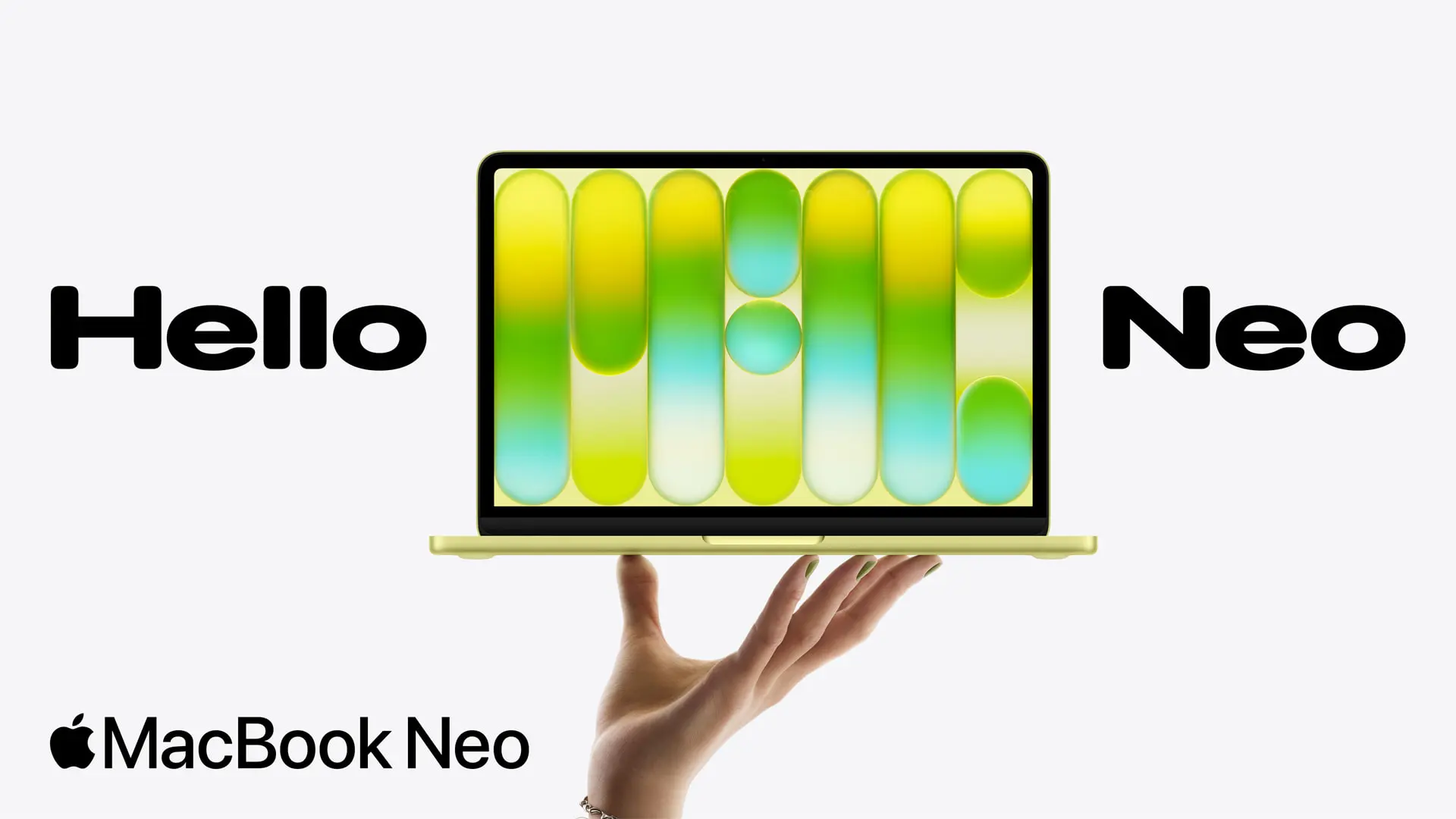
Macs from Apple have always been thought of as pricey, high-end gadgets. Apple is obviously unable to give up its preference for high-end devices, but it is able to make them reasonably priced. With the launch of the MacBook Neo, which starts (and has been tested) at $599, Apple has created notebook that is remarkably affordable for the majority of users. It’s also encouraging to see a big corporation introduce a device at an unprecedented low price, given that rival PCs are frequently becoming more expensive due to the RAM and storage requirements of AI hyperscalers.
Furthermore, affordable does not equate to cheap. The MacBook Neo boasts a bright, clear display and the same high-quality aluminum body as any other Mac. It doesn’t feel like a discount bin system at all.
However, Apple has made some concessions. The keyboard isn’t illuminated, and the two USB-C ports aren’t as fast as many others these days. However, Apple built a surprisingly powerful device that might be among the greatest ultrabooks at this mass-market pricing provided you can put up with those sacrifices.
MacBook Neo Design
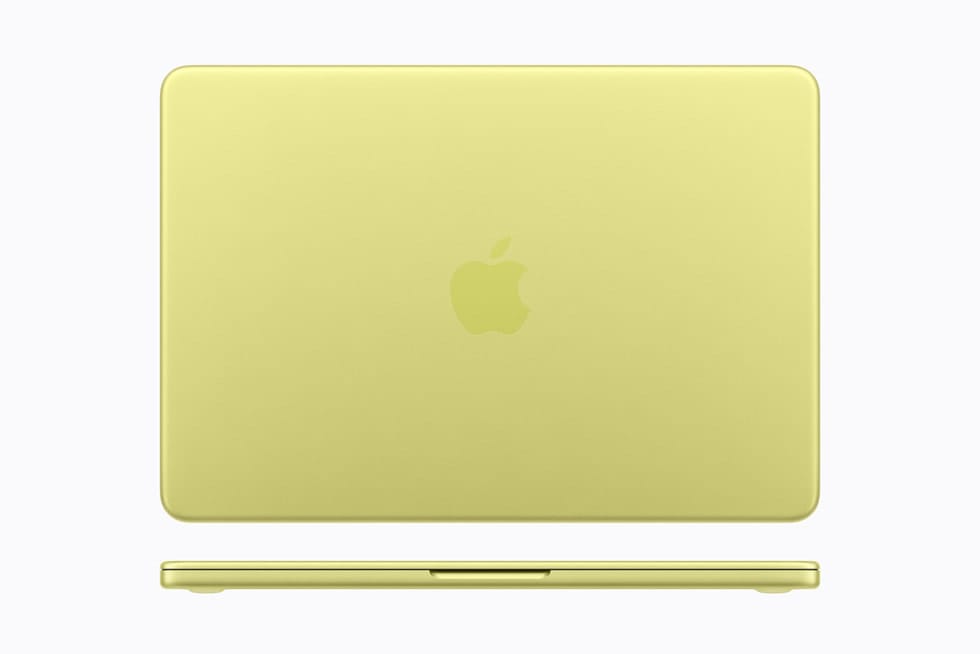
The MacBook Neo is like a magic trick; it doesn’t feel or look like a cheap notebook.
Here, a lot of the lifting is done by the metal body. The Neo feels like a high-end device the moment you touch it and raise the cover with one finger. This is the real stuff; it doesn’t feel inferior. Although the colors are entertaining, we would still want to see Apple add more colors to the Neo, much like they did to the iMac.
Like the MacBook Air and MacBook Pro, you still get flat sides and rounded edges. Instead of being embossed like on the more expensive devices, the Apple logo is imprinted on the lid in a tone-on-tone fashion.
The high-end vibe is quite important. We are used to see inexpensive, plastic laptops when I walk into a store. The ones that do use metal frequently use parts that are generations old and are covered with stickers. You don’t feel like you’re cutting corners since Apple made the Neo feel like the rest of its portfolio in that one area. Rather, you’re getting something reasonably priced and well-built.
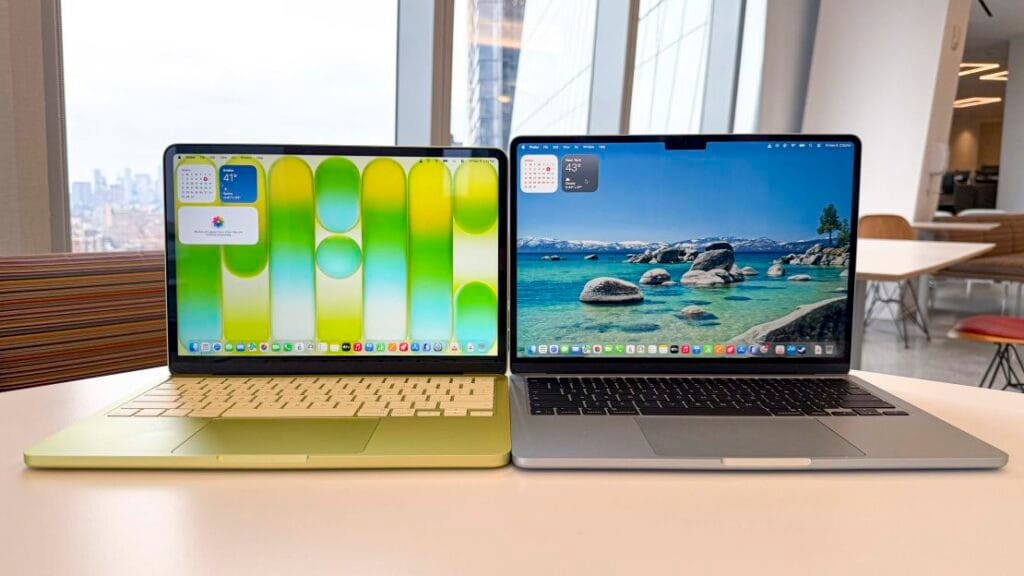
You can see some of the most significant differences when the lid is open. The 13-inch display’s bezel is thicker than that of the Air or Pro, but it’s still reasonable for a product at this price. A good thing is that Apple can fit the webcam in the bezel without a notch, which many are pleased with it.
Although they are a little more subdued than the rest of the laptop, the keyboard’s color-matched keys also give it a tint. This device has a smaller footprint in certain ways, but the touchpad isn’t as expansive.
The MacBook Neo weighs 2.7 pounds and has dimensions of 11.71 x 8.12 x 0.5 inches. It is 0.6 mm taller than the 13-inch MacBook Air but has a lower footprint. They have the same weight. You won’t be able to distinguish between the two in a backpack.
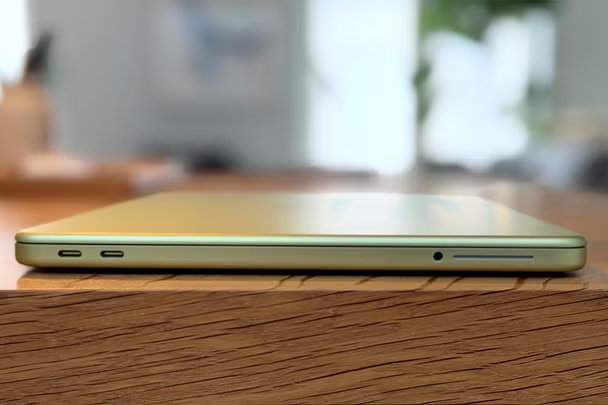
The Neo’s ports are all located on its left side. The 3.5 mm headphone jack and two USB-C ports – one USB 3 (10Gb/s, DisplayPort compatible) and one USB 2 port. To mention that neither port is labeled.
MacBook Neo Specs
| CPU | Apple A18 Pro (6-core CPU with 2 performance cores, 4 efficiency cores) |
| Graphics | 5-core GPU |
| Neural Engine | 16 cores |
| Memory | 8GB LPDDR5 unified memory |
| Storage | 256GB SSD |
| Display | 13.0-inch, 2408 x 1506, Liquid Retina LED, IPS, 60 Hz |
| Networking | Wi-Fi 6E, Bluetooth 6 |
| Ports | USB-C 3 (10Gb/s), USB-C 2 (480Mb/s), 3.5 mm headphone jack |
| Camera | 1080p FaceTime HD camera |
| Battery | 36.5 WHr |
| Power Adapter | 20W USB-C |
| Operating System | macOS Tahoe 26.3.1 |
| Dimensions (WxDxH) | 11.71 x 8.12 x 0.5 inches (297.5 x 206.4 x 12.7 mm) |
| Weight | 2.7 pounds (1.23 kg) |
| Price (as configured) | $599 |
The MacBook Neo is powered by Apple’s A18 Pro. The iPhone 16 Pro was the first device to use this processor. In a way, the A18 Pro validates what reviewers have been saying for years: smartphone CPUs are too powerful.
Six CPU cores total—two performance cores and four efficiency cores—are found in the A18 Pro that Apple uses with the MacBook Neo. The GPU has five cores, which is one fewer than the version found in the flagship iPhone from 2024.
Additionally, the system-on-a-chip has 8GB of RAM. Some hardware enthusiasts said it was insufficient when Apple made that announcement.
There aren’t many laptops with 16GB of RAM for $599. Many of them will make additional concessions. If local AI doesn’t become a popular in the near future, many individuals will purchase this type of laptop and they will be able to get by with 8GB of RAM for at least a few years.
Display

With a resolution of 2,408 x 1,506, the MacBook Neo’s 13-inch screen is remarkably high for its price. Depending on the aspect ratio, you would often find a 1080p or 1280p screen, but this one is closer to 1440p (give or take a few pixels on each end). At this price, the display’s refresh rate of 60 Hz makes sense.
It was a wise investment to spend money on the LED, IPS screen, which is the same kind of panel used on the MacBook Air. However, it lacks True Tone, a function that modifies the color temperature of the screen according to your surroundings by using an ambient light sensor, which this laptop does not have.
The Neo’s screen filled 78.8% of the DCI-P3 color space and 110.9% of the sRGB color volume area on the colorimeter (although the system does not support the DCI-P3 color space). The Neo’s brightness was measured at 452.6 nits.
Keyboard and touchpad
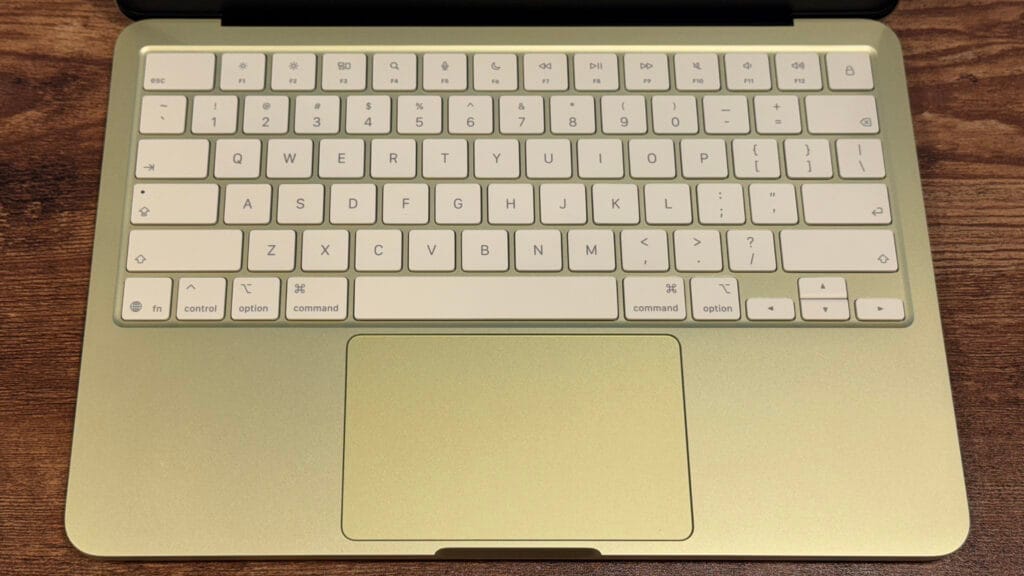
The MacBook Neo’s Apple keyboard is nice, but it’s not backlit. Nobody would mind darker legends, but is a good keyboard overall.
The keyboard is decent on its own. The keyboard of the MacBook Air is comparable to the one millimeter of travel. It feels a little stiffer than Apple’s previous devices. On the monkeytype typing test, we was still able to move quickly and get 116 words per minute and 98% accuracy.
The top right key on the base model Neo is a lock button. Touch ID is available on the 512GB model, and I believe it’s worth the extra $100 to log in and make purchases more quickly and conveniently over the course of the device’s lifetime.
Unlike the luxurious “Force Touch” haptic touchpads found on the MacBook Air and Pro, the MacBook Neo’s touchpad is mechanical. However, unlike many low-cost devices, Apple’s touchpad allows you to click wherever on it. I had no trouble using any of the gestures on macOS Tahoe, and the click feels good. This touchpad is quite simple to use because you may click at the top of it without being stopped by the hinge positioning.
Audio
The MacBook Neo contains two speakers, one on each side of the device.
These sound better than the speakers on the majority of low-cost Windows laptops, as well as some high-end models. However, they’re still doing really well overall.
When I put my hands on the wrist rest, the speakers, which are situated just beneath the keyboard deck, vibrate, especially at the loudest volumes.
Although it occurs on many rival computers, including some high-end Windows notebooks, I would still want to see Apple address this engineering issue in further notebook iterations.
High-impedance headphones, such as those found on the MacBook Pro and MacBook Air, are not compatible with the 3.5 mm headphone connection, but I doubt that a $599 laptop user would also want to use studio-quality headphones.
Battery life
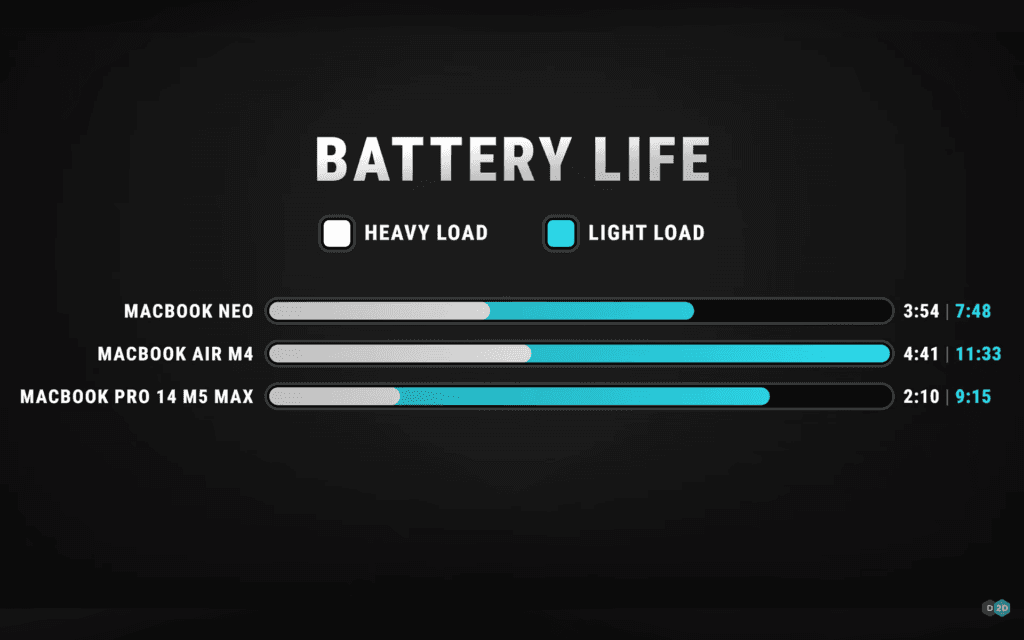
I wouldn’t quite call the MacBook’s battery life all-day, but it will last for a good amount of time before you need to charge it. Although the 36.5 WHr battery can only do so much, it’s good for the price.
The MacBook Neo run for 13 hours and 28 minutes on battery test, which included streaming video, web browsing, and a light OpenGL graphics test with the screen at 150 nits.
The MacBook Neo did not come with fast-charging technologies from Apple. Using the provided 20-watt charger, the laptop was totally discharged and charged to 22% in 30 minutes. After an additional half hour, the charge precisely doubled to 44%.
Software
Tahoe 26.3.1, the most recent version of macOS, is included with the MacBook Neo. It introduces the “Liquid Glass” design language that Mac users who have never used an iPhone or iPad may already be accustomed to. Among Mac enthusiasts, the use of translucent effects and numerous icons in menus has caused controversy, but we don’t think it will be as polarizing among people who use Windows, ChromeOS, or even a phone.
Like its more costly brothers, the MacBook Neo comes with a ton of pre-installed software. The Safari web browser, Messages for texting and iMessage, FaceTime, a new phone app, Notes, Reminders, Photos, Mail, Calendar, and service-based applications like Music, Apple TV, and News are some of them.
For new users, the majority of this syncs with an iPhone. One of the most loved feature from the past several years is iPhone Mirroring, which allows you to use your phone from your computer if you have an iPhone and a Neo.
MacOS comes with a number of free workflow applications, including Pages, Numbers, and Keynote. Although they aren’t included, many of the most popular software you might want, including Microsoft Office, are accessible as native apps for Apple Silicon in the App Store. Despite its abundance, macOS doesn’t feel bloated.
MacBook Neo Configurations
The Neo’s setting choices are really straightforward thanks to Apple.
The A18 Pro chip, 8GB of RAM, and 256GB SSD are available for $599. You can get the exact same machine for $699, but with Touch ID and a 512GB storage upgrade. Color is the only other option available to you.
Spending the additional $100 is, in my opinion, a wise investment for everybody. Touch ID is far faster than entering a password, and the additional storage is fantastic for papers, music, and pictures.
A one-year warranty is included with the MacBook Neo. It costs $4.99 a month or $49.99 a year for those who choose to use AppleCare+ for longer protection (or you can add it to an Apple Care One plan for $19.99 a month for three devices).
As a final word

The MacBook Neo does indeed cost $599. However, it doesn’t often feel like way. Apple made investments in a good keyboard and mouse, a bright, high-quality screen, and a premium aluminum chassis. These are the aspects of a laptop that most people are most concerned about, aside from performance. When you include a battery life of roughly 13 hours, you have a machine that can perform the most frequent tasks for the majority of people in a packaging that feels exceptional.
The MacBook Neo will work perfectly for the majority of people completing the most of tasks, including web browsing, emailing, writing papers, shopping, and even light photo editing. The A18 Pro’s powerful single-core performance will satisfy many people’s basic demands.
And in comparison to the numerous plastic devices with subpar screens you see when you enter a big-box store, the Neo will appear incredibly appealing to such individuals. Officially, all other PC manufacturers producing notebooks under $700 are on notice.